How to Use ElevenLabs for AI Voiceovers, Music & Creative Videos
Creating engaging digital content often requires more than just images and video. Voiceovers, music and sound can completely change the way a video feels.
But not everyone has access to a professional microphone or feels comfortable recording their own voice.
That’s where AI voice generation can be useful.
ElevenLabs is an AI audio platform that gives creators tools for generating and working with voice and music. Whether you’re creating a book trailer, social media video, tutorial or other creative project, AI-generated audio can add another dimension to your content.
In this guide, I’ll explain how AI voiceovers can be used for videos, book trailers, social media content, tutorials, and other creative projects.
Affiliate Disclosure: PhotoshopInspire is an independent affiliate of ElevenLabs and participates in the ElevenLabs Creator Affiliate Program. If you sign up for ElevenLabs through my affiliate links, I may receive compensation for the referral. This does not affect the price you pay.
If you’d like to explore AI voice generation for your own creative projects, you can try ElevenLabs here:

What Is ElevenLabs?
ElevenLabs is an AI audio platform designed for creating and working with speech and other types of audio.
One of its best-known capabilities is text-to-speech. You provide a written script and generate spoken audio using an AI voice.
For creators, this can be useful when you want narration for a video but don’t want to record your own voice.
Depending on the features and plan available to you, ElevenLabs can also provide access to different voices, languages and other AI audio tools.
What Can You Create With an AI Voice Generator?
AI voiceovers can be useful for many different types of content.
1. Social Media Videos
Short videos often need to communicate an idea quickly.
Instead of putting every sentence on the screen, you can use narration while showing images, video clips, screen recordings or animations.
For example, a designer could create a short video showing the process of designing a book cover while a voice explains the design choices.
2. Book Trailers
Book trailers are another interesting use for AI narration.
You could combine:
- Your book cover
- Character artwork
- Atmospheric images
- Short video clips
- Background music
- Animated text
- AI narration
The narration can introduce the story and help establish its mood.
For example:
“They promised they would never meet again.”
The scene changes.
“But some stories don’t end when people walk away.”
The book title then appears on screen.
A simple sequence like this can turn still artwork into a more engaging promotional video.
3. YouTube Videos
AI narration can also be useful for tutorials, educational videos and other content where you don’t want to appear on camera.
You can write your script first and then generate the narration.
This can be particularly useful if you enjoy creating visuals and editing videos but aren’t comfortable recording your own voice.
4. Tutorials
Voiceovers can make screen recordings easier to follow.
For example, instead of displaying several instructions as text, you can explain each step while demonstrating it on screen.
This works well for:
- Adobe Express tutorials
- Photoshop tutorials
- AI tool tutorials
- Design tutorials
- Software walkthroughs
5. Storytelling and Creative Projects
AI narration can also be used for fictional stories, character introductions, short stories and other creative projects.
The key is choosing a voice that fits the mood of the project.
A mysterious story may need a very different narration style from a cheerful tutorial.
See ElevenLabs Music in Action
ElevenLabs isn’t limited to AI voice generation. Its creative tools also allow creators to explore AI-generated music and other audio experiences.
Here is an example of ElevenLabs Music in action:
Example provided through ElevenLabs’ official affiliate resources.
How to Create an AI Voiceover With ElevenLabs
The basic process is quite simple.
Step 1: Write Your Script
Start by writing what you want the narrator to say.
Try to write naturally rather than making the script sound overly formal.
For example:
“The rain had finally stopped. The streets were quiet. And somewhere across the city, two people were about to meet for the first time.”
Short sentences can make narration easier to follow.
Step 2: Choose a Voice
The voice should match the type of content you’re creating.
For a tutorial, you might want a friendly and conversational voice.
For a thriller or book trailer, you might prefer something more dramatic.
Don’t choose a voice simply because it sounds impressive. Think about whether it fits your audience and subject.
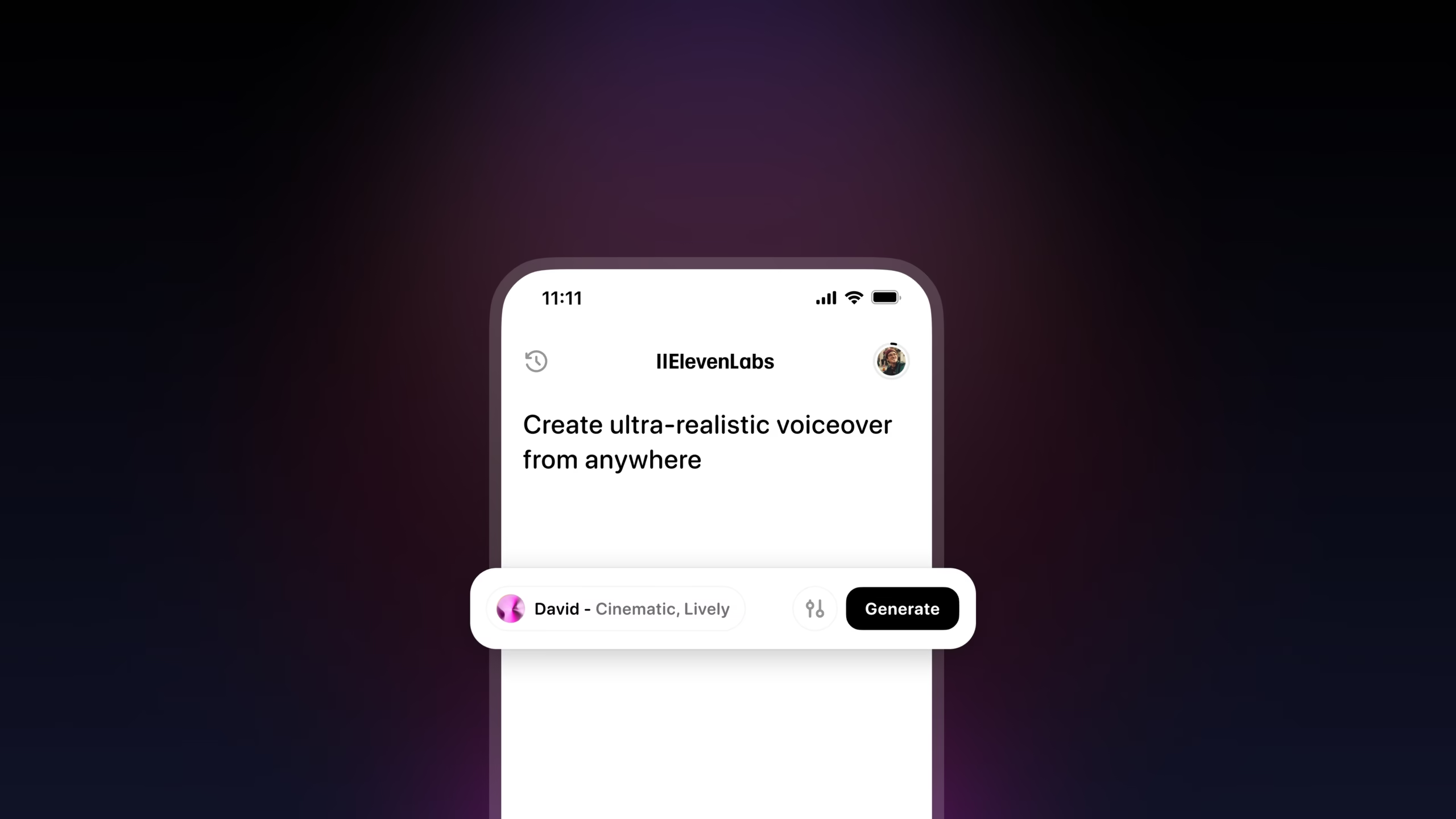
Step 3: Generate the Voiceover
Enter your script, select the voice and use the available settings to create your audio.
Once it has been generated, listen to it carefully.
Check for:
- Pronunciation
- Pauses
- Speed
- Emphasis
- Overall tone
- Whether the narration sounds natural
Step 4: Refine the Script
If something doesn’t sound right, don’t immediately assume that you need different settings.
Sometimes the easiest solution is to rewrite the sentence.
For example, instead of:
“Today I am going to explain to you the five important things that you should know about creating book covers.”
You could write:
“Here are five things every book-cover designer should know.”
The second version is shorter and sounds more conversational.
How Book Cover Designers Can Use ElevenLabs
If you’re a book-cover designer, AI voice generation can become another tool in your promotional workflow.
Imagine creating a short video for a fictional novel.
You could start with the finished book cover.
Then show the main character.
Next, show an atmospheric scene related to the story.
While these visuals appear, a narrator introduces the story.
Finally, reveal the book title and author name.
The basic structure could look like this:
Book cover → Character → Story atmosphere → Narration → Title reveal
This type of content could be used for:
- Book trailers
- Author promotions
- Instagram Reels
- YouTube Shorts
- Pinterest video content
- Social media teasers
You don’t necessarily need complicated animation. Strong visuals combined with good narration, music and pacing can be enough to create an engaging short video.
Tips for Creating Better AI Voiceovers
Keep Your Sentences Natural
Write the way people actually speak.
Long, complicated sentences can make narration sound less conversational.
Use Punctuation
Punctuation can help create natural pauses and improve the rhythm of your script.
Don’t be afraid to use short sentences.
Match the Voice to the Content
Think about the personality of your project.
A children’s story, technology tutorial, romance novel and horror trailer may all require different narration styles.
Don’t Overdo the Drama
If every sentence sounds extremely dramatic, the effect can quickly become tiring.
Save stronger emphasis for the important moments.
Let the Visuals and Voice Work Together
Your narration shouldn’t simply repeat everything that is already visible on screen.
Use the voiceover to add information, emotion or context.
Example: A Short Book Trailer Script
Here’s a simple example of how you could structure a short romance book trailer:
Scene 1 — City at night
“They thought they had left the past behind.”
Scene 2 — Character walking through the rain
“But some memories refuse to disappear.”
Scene 3 — Two characters looking at each other
“And sometimes, the person you’re trying to forget…”
Scene 4 — Book cover appears
“…is the person you were always meant to find.”
Then reveal the book title and author.
You could combine this narration with your cover design, atmospheric visuals, music and simple animation.
Is ElevenLabs Worth Trying?
If you create videos, tutorials, social media content, stories or book-related promotional content, AI voice generation can be a useful addition to your creative toolkit.
The biggest advantage is that you can experiment with narration without having to record every voiceover yourself.
However, the quality of the final result doesn’t depend on the AI voice alone.
Your script, visuals, editing, pacing and storytelling all matter.
If you’re interested in experimenting with AI voiceovers, you can explore ElevenLabs here:
Important Note About ElevenLabs Plans
Before using generated audio commercially, check the terms and commercial-use rights associated with the ElevenLabs plan you’re using.
The Free plan is intended for non-commercial use, while commercial usage rights are associated with eligible paid plans and their applicable terms.
If you’re creating content for a business, monetized website, client project or other commercial purpose, make sure your plan provides the rights you need before publishing the generated audio.
Final Thoughts
AI voice generation gives creators another way to bring their ideas to life.
Whether you’re making a book trailer, a YouTube tutorial, a social media video or a creative storytelling project, narration can add another layer to your content.
The key isn’t simply generating an AI voice and putting it over a video.
Think about the complete experience:
Script + Voice + Visuals + Music + Editing + Storytelling
When these elements work together, even a simple collection of images can become a much more engaging piece of content.
If you’re curious about AI voice generation, you can try ElevenLabs here and experiment with what it can add to your creative workflow.
Affiliate Disclosure: PhotoshopInspire is an independent affiliate of ElevenLabs and participates in the ElevenLabs Creator Affiliate Program. If you sign up for ElevenLabs through my affiliate links, I may receive compensation for the referral. This does not affect the price you pay.
“ElevenLabs and the ElevenLabs logo are registered trademarks or trademarks of ElevenLabs, Inc. Used with permission. Photoshop Inspire is not sponsored by, endorsed by, or affiliated with ElevenLabs except as an independent participant in the ElevenLabs Creator Affiliate Program.”